

Discord bot
MW4Intel for Discord
Bring the intel into your server. The weapon meta, loadouts, MW4 news, patch notes and DMZ intel, right in your channels, and always as current as this site.
Free. You'll need Manage Server in the server you add it to. Already added it? Manage your server
- Weapons
- 35
- Loadouts
- 78
- DMZ intel
- 198
What it does
The weapon meta, on demand
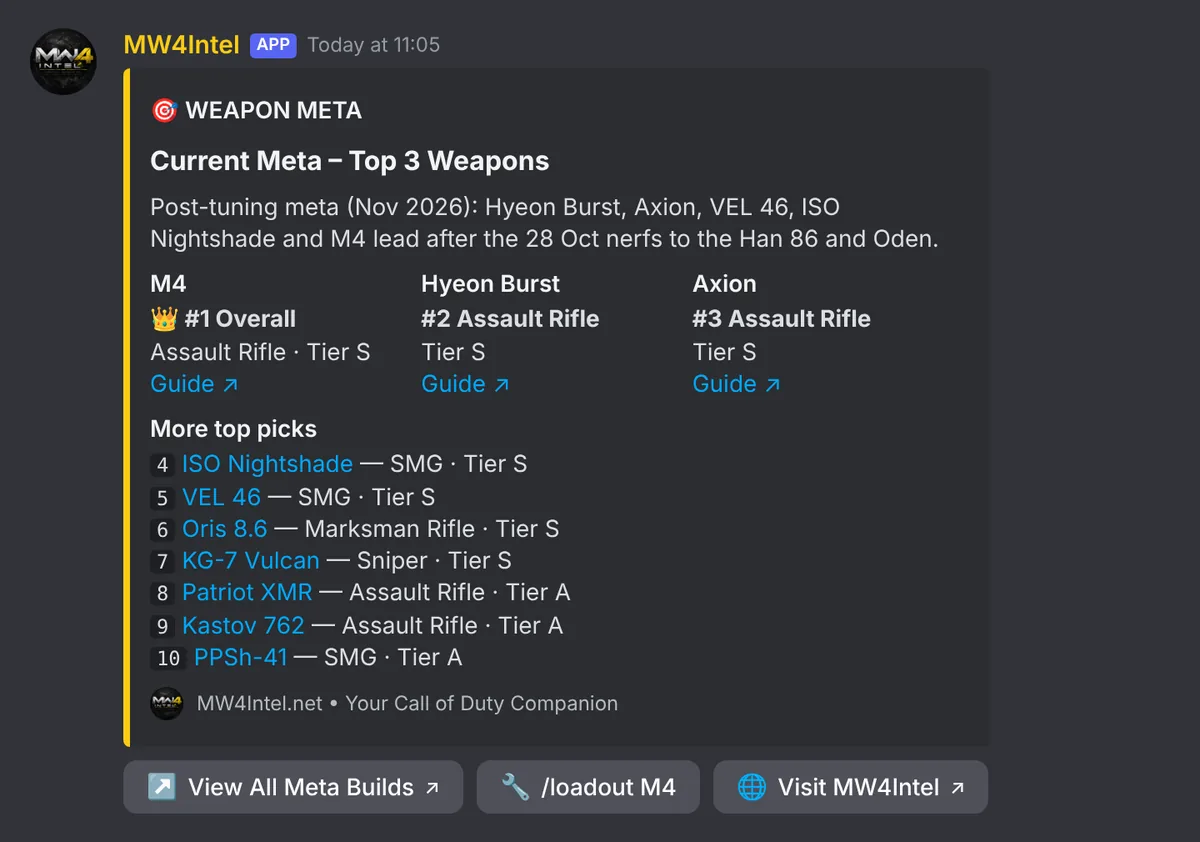
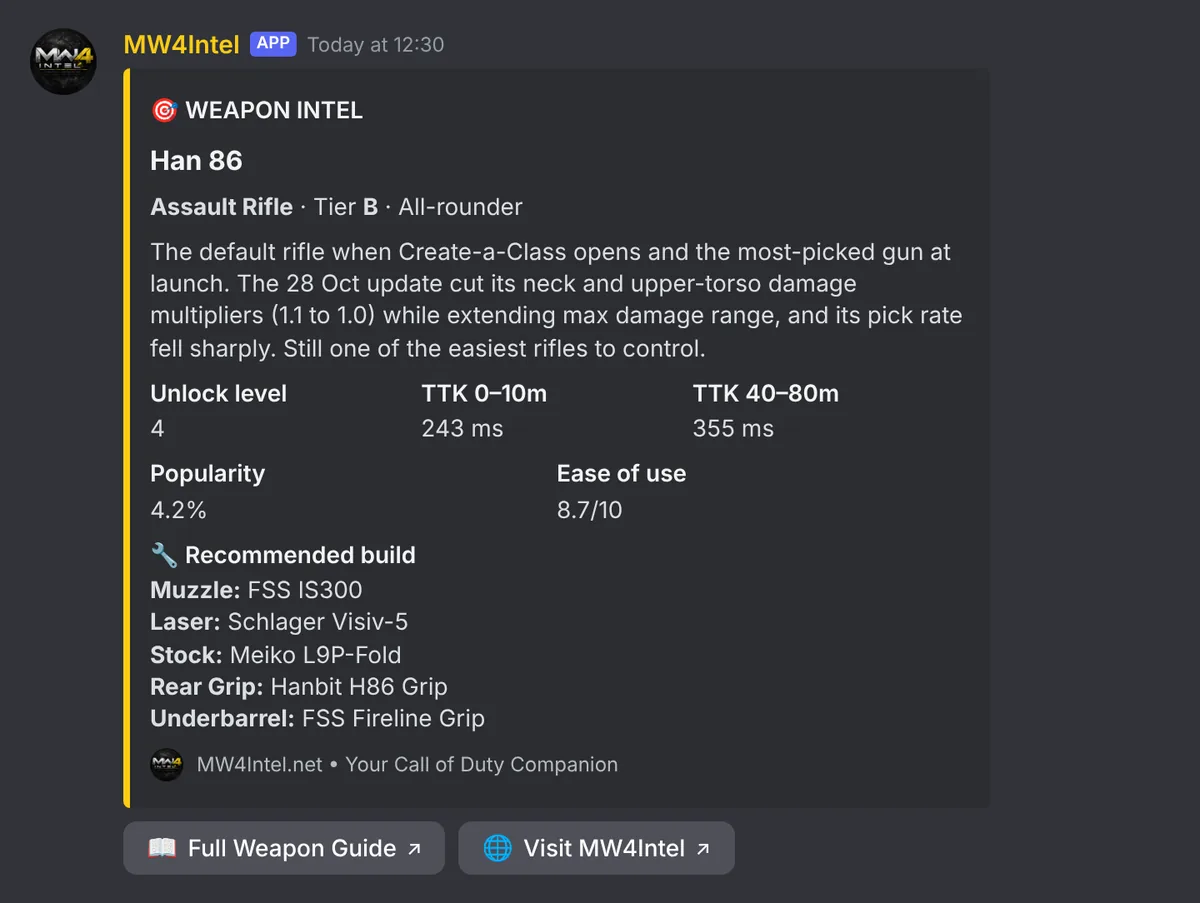
Settle “what's meta?” without leaving the chat. /meta shows the top-ranked guns, /weapon pulls up any weapon's tier, TTK and build, and /loadout gives a full class with attachments, perks and equipment. It all comes from the same data as this site, so it's current the moment we update it.
News, posted for you
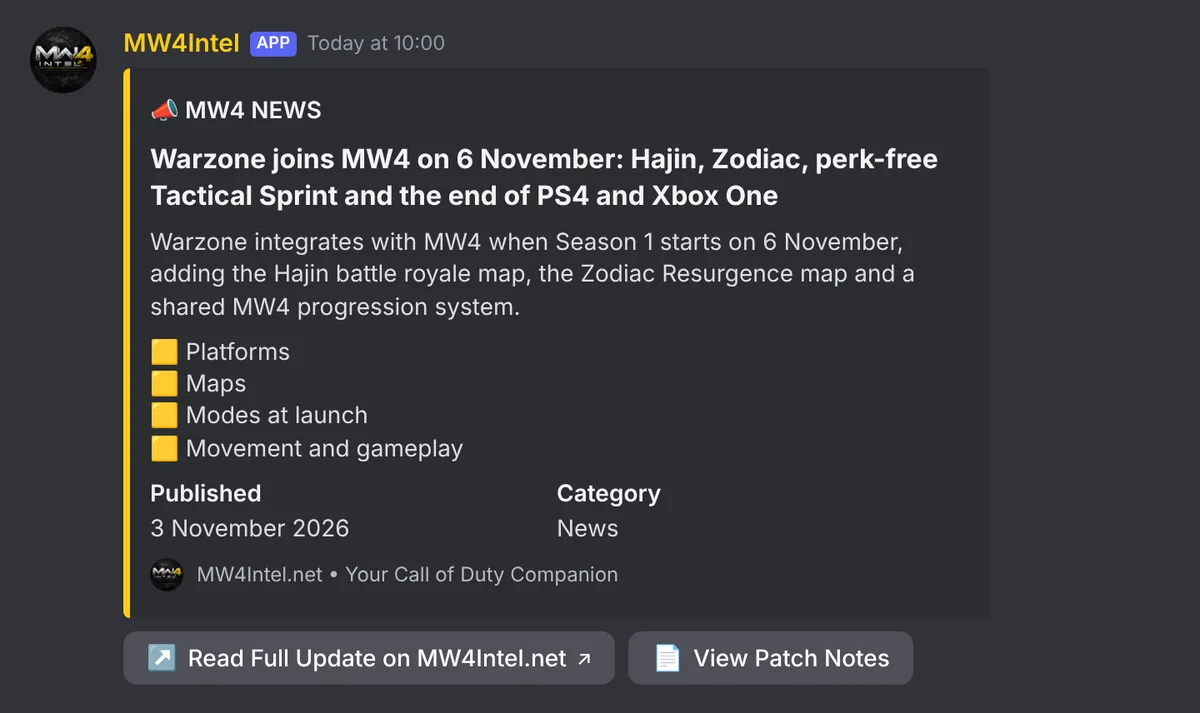
Pick a channel and new MW4Intel articles land there as they're published, with the key points and a link to the full story. Only new posts are sent, never a backlog, and you can ping a role of your choice.
Patch notes and meta changes
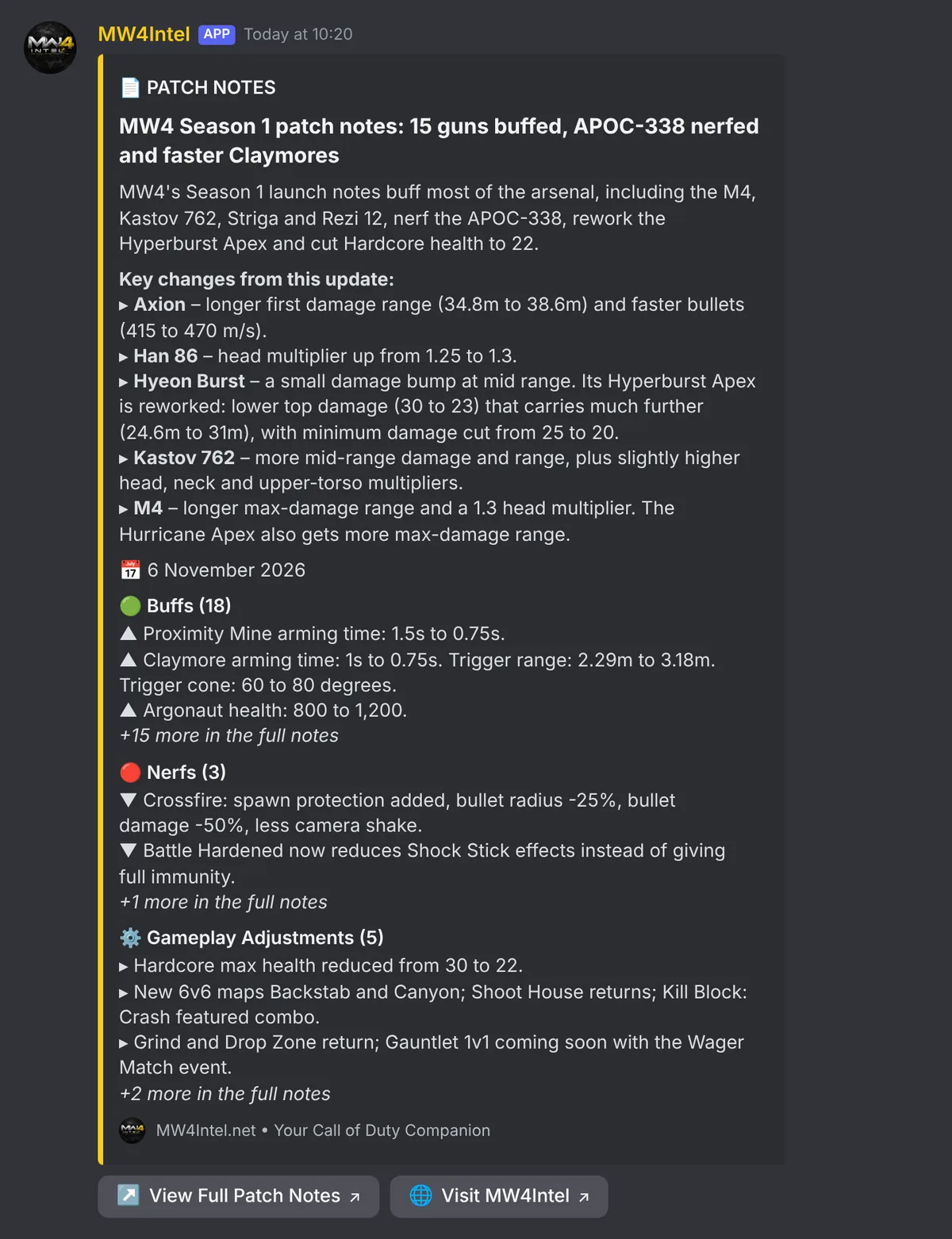
Every update laid out: key changes, then the buffs, nerfs, gameplay changes and fixes. And when weapons move tier on MW4Intel, the bot can post a summary of what went up and down, daily or weekly, filtered to the weapon classes your server plays. Quiet weeks stay quiet.
DMZ intel in your squad's channel
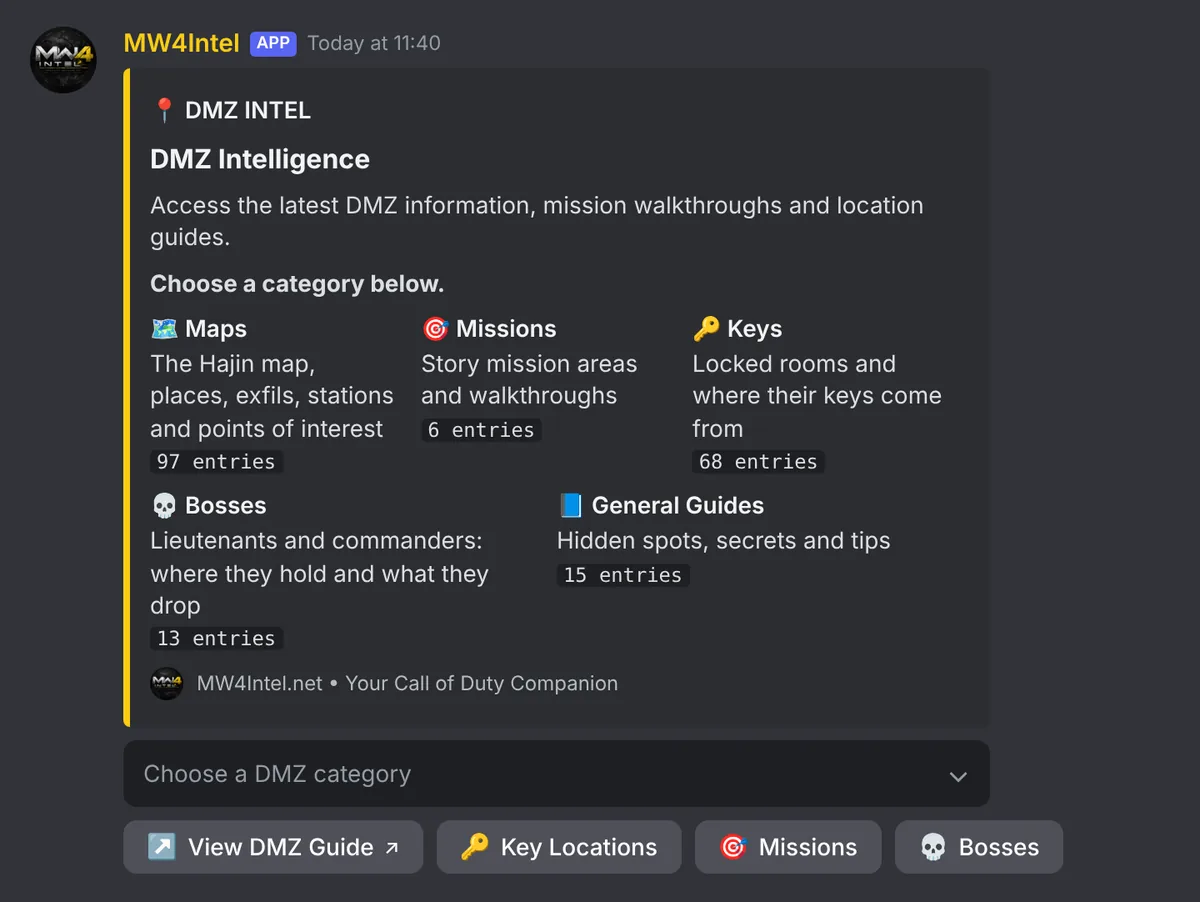
/dmz opens the Hajin intel: maps, missions, keys, bosses and hidden spots, five to a page with a link to each guide. Turn on DMZ posts and new keys, bosses and secrets added here are posted to your server, in the categories you choose.
Set it up your way
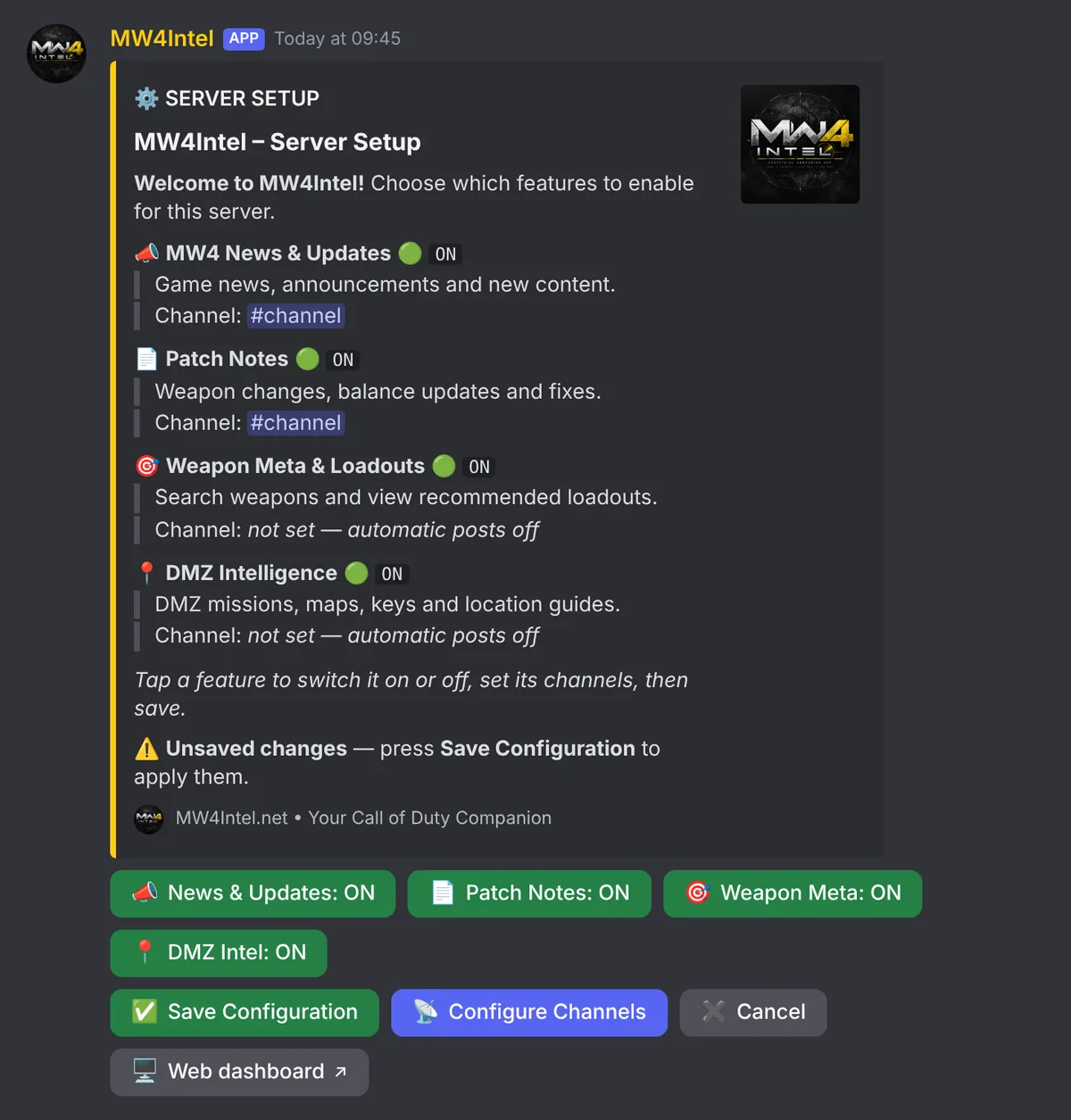
Every feature starts off, so nothing posts until you say so. Switch features on with /setup in Discord, or sign in with Discord on the bot dashboard to choose channels, pick which DMZ categories and weapon classes to show, set how long /meta is and choose a role to ping.
Server owners and members with Manage Server get in automatically.
Open the dashboard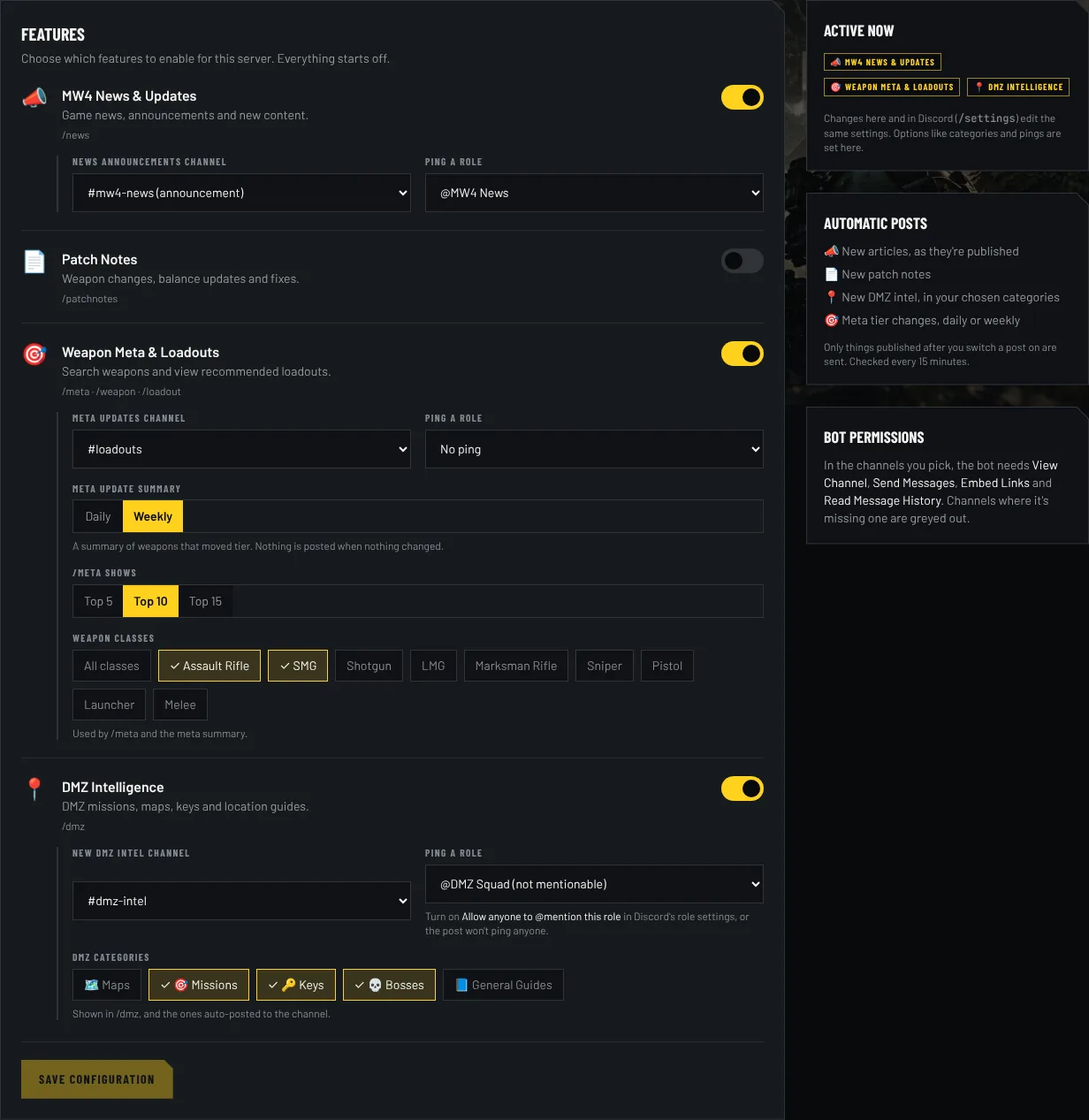
Always up to date
The bot reads the same data as this site. When the tier list, a loadout or a DMZ key changes here, the bot has it straight away, with no update to install.
Want more? Every reply links to the full guide on MW4Intel.
Set up in a minute
- 1Press Add to Discord and pick your server.
- 2Run
/setup, or open the dashboard, and switch on the features you want. - 3Choose channels for news, patch notes, DMZ intel and meta updates. Leave any empty to skip that kind of post.
Commands
/news- The latest MW4 article, with more headlines and a link to the full story.
/patchnotes- The latest update: buffs, nerfs, gameplay changes and fixes.
/meta- The top-ranked weapons right now, with a guide link for each.
/weapon- Look up any weapon: tier, TTK, popularity and its recommended build.
/loadout- A full class: attachments, perks, equipment and killstreaks.
/dmz- Browse DMZ maps, missions, keys, bosses and hidden spots.
/help- What's switched on in this server.
/setup- For admins: turn features on and pick channels. Or use the web dashboard.
Good to know
- It only answers its own slash commands and buttons. It can't read your server's messages.
- It never pings @everyone or members. It only mentions a role if you choose one for automatic posts.
- It asks for the bare minimum: view channels, send messages, embed links and read message history.
- It keeps your server's settings and which posts it has already sent. Switching a feature off in /setup or on the dashboard stops it.
- An unofficial, fan-made bot. It isn't affiliated with Activision or Discord.
More in the privacy policy.